Restaurant menu QR code: the menu changes, the QR code stays
A menu QR code takes guests from the table to your online menu: a PDF or a page on your website. QR Suisse, published by Skyday Sàrl, does not create the menu: it makes the link editable, so you can switch from the summer menu to the winter menu, or to the daily menu, without reprinting the table stands.
Practical situations
The seasonal menu. The table stand carries a QR code that leads to your menu. In autumn, you publish the game menu on your website and redirect the QR code to it: the table stands do not change.
The daily menu. The QR code leads to the page on your website where you publish the daily menu, or you change its destination to the day's PDF. The change takes effect immediately.
Your Google reviews. On the bill or near the till, a QR code leads to your Google Business Profile so guests can leave a review (see the "Your Google reviews" section below).
More items, a second restaurant. The Free plan covers 3 active QR codes, often enough for the menu, the daily menu and reviews. For more than 3 items, a second restaurant, or to hand the QR codes over to the chef and the manager, the Pro plan removes the limits on QR codes and users, and keeps 15 months of history to compare seasons.
Your Google reviews: a QR code you can track
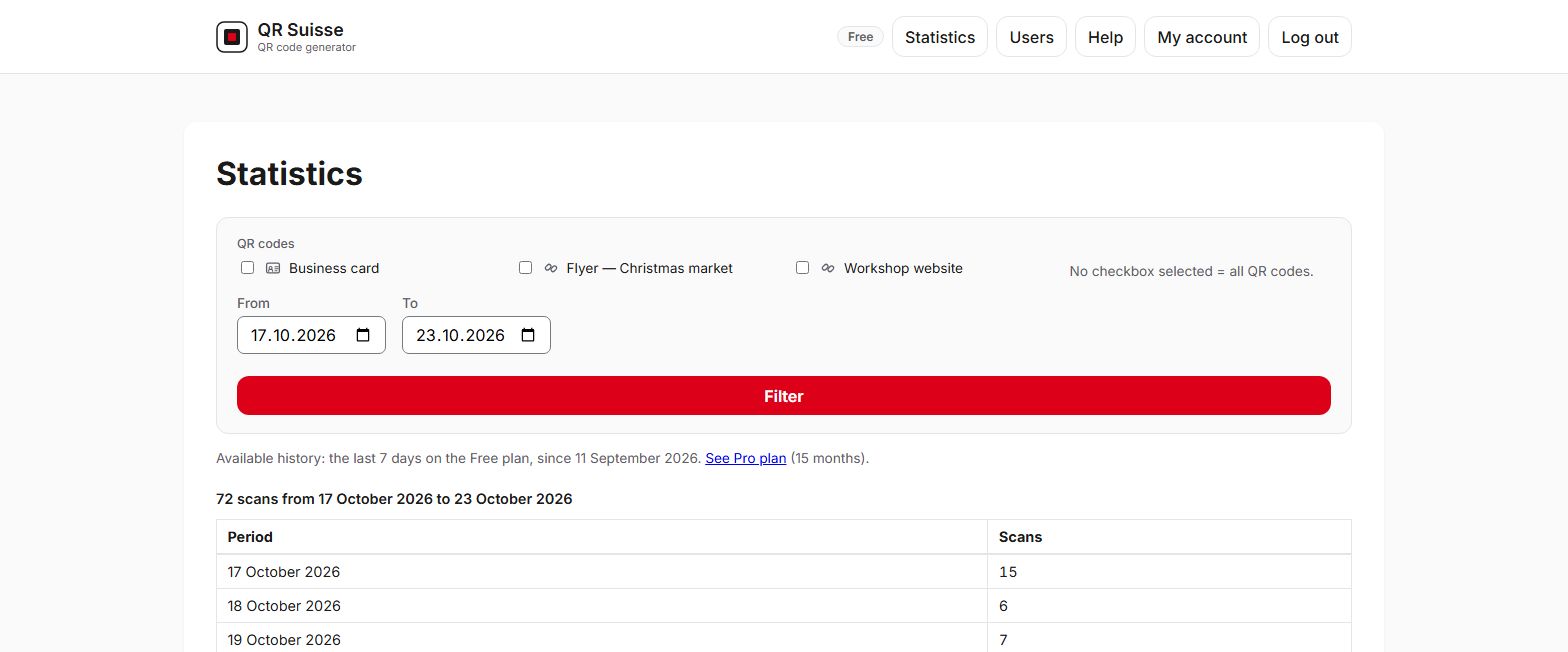
Google itself provides, from your Business Profile, a free link and QR code to ask for reviews. If you only have one item, that QR code is enough. With QR Suisse, the QR code that leads to your profile counts its scans day by day, item by item (bill, menu, shop window), and you can change its destination without reprinting.
One rule to follow: Google's own rules prohibit offering an incentive, such as free or discounted products or services, in exchange for a review, for changing a review or for removing a negative review. Your QR code can invite guests to leave a review, not reward them for it. (Google's rules on reviews)
Which plan for your restaurant?
Free
For the menu, the daily menu and your reviews: 3 QR codes are often enough.
0 CHF
No credit card required
- 3 active QR codes
- 1 user
- 7-day history
Pro
As soon as you have more than 3 items, several restaurants, or a team managing the QR codes.
15 CHF / month
or 150 CHF / year, billed once a year, equivalent to 12.50 CHF/month
- Unlimited active QR codes
- Unlimited users
- 15-month history
- Custom domain for your QR codes
- API: 5 QR code creations via the API per month, 1 active API key
Prices in Swiss francs. No VAT applies: Skyday Sàrl is not registered for Swiss VAT; the amount shown is the amount you pay. Paid plans are subscriptions that renew automatically each month or each year; you can cancel at any time, effective at the end of the paid period, with no pro-rata refund. Your account is first created on the Free plan, then the payment page opens.
What QR Suisse does, and what it doesn't
Does
- redirects each QR code to your menu, your daily menu or your review page, editable at any time;
- offers to call the restaurant to book a table (QR Phone), for example from a flyer;
- optionally adds UTM parameters, so that your website's analytics tool recognises visits coming from the tables;
- provides the image as SVG for the printer and as PNG for screens;
- with Pro and Entreprise: unlimited QR codes and users, tags by restaurant, 15 months of history.
Doesn't
- create or host your menu: the QR code points to your website or your online PDF;
- check the content of your menu;
- schedule a change for a given date or time: for the daily menu, you change the destination yourself, or update the page the QR code leads to;
- handle orders, payments or online bookings;
- create Wi-Fi QR codes;
- count people: for each QR code, QR Suisse keeps a total count and a number of scans per day; neither the device, nor the country, nor the IP address of the person scanning is stored in the database;
- create anything other than black-on-white QR codes, with no colour and no logo.
Frequently asked questions
Does QR Suisse create my online menu?
How do I change the menu without reprinting the QR code?
Can guests order or pay through the QR code?
How do I create a QR code for Google reviews?
Do I need one QR code per table?
Is it free?
Does QR Suisse offer a Wi-Fi QR code for my guests?
Try it with your menu
Create your menu QR code with the Free plan, with no credit card.
Create a free accountCompare the plans