REST API — create and manage your QR codes from your tools
Connect your CRM, your automation tool or your scripts to QR Suisse: create, update and delete dynamic QR codes and read their statistics via the API. Pro and Entreprise plans.
Plans: Pro · Entreprise
The QR Suisse REST API lets your tools create, read, update and delete QR codes of the Link or Business card type, download their image as PNG or SVG and read their scan statistics. Your tools can also archive and reactivate a QR code, search and filter the list, read the remaining creation quota and send a creation again without creating a duplicate, using the Idempotency-Key header. It can be called from any tool able to send an HTTPS request: a CRM, an internal script, or an automation tool such as Zapier or Make. Each API key only receives the rights it needs (read, create, update, delete, statistics); it is shown only once, then can be rotated or revoked at any time as long as your account is on the Pro or Entreprise plan. The Pro plan includes 5 QR code creations via the API per calendar month and 1 active key; the Entreprise plan, 100 creations per calendar month and up to 10 keys active at the same time. Only these creations count: reading, updating or deleting a QR code, or creating one in the dashboard, does not. Creation packs are available as an option, with an active paid subscription (see pricing). The Free plan gives no access to the API. The API documentation describes each endpoint and offers the OpenAPI specification.
Frequently asked questions
Which plans give access to the API?
What counts towards the quota?
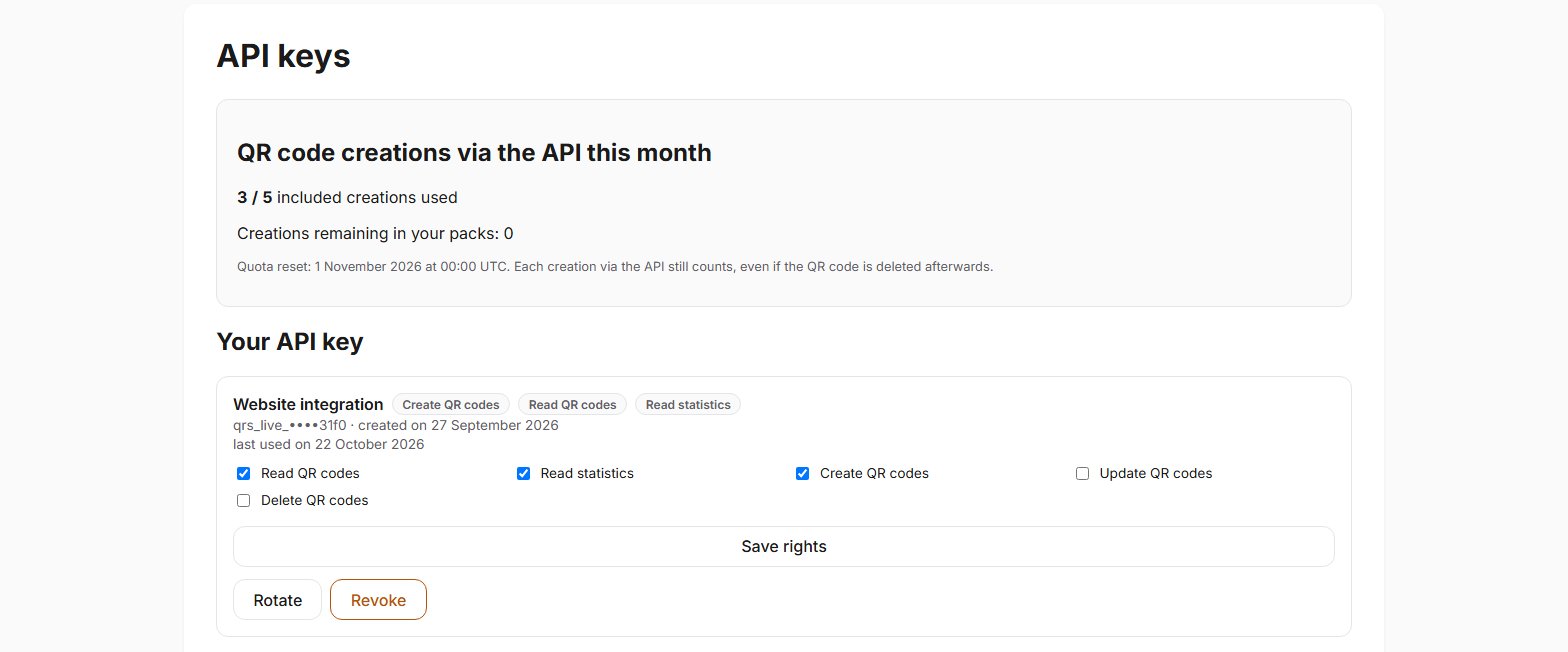
Where can I see the creations used this month?
GET /usage returns the same figures to a key with the QR_CREATE right.What happens when the quota is used up?
429 quota_exceeded error) until the reset on the 1st of the following month, or until you buy a pack. Nothing is billed per use.Can I archive or reactivate a QR code via the API?
active set to false archives it, with true it reactivates it. This does not count towards the creation quota. Archiving keeps the content and the statistics. Permanent deletion, on the other hand, is irreversible: the QR code and its statistics are erased, and its address can never be used again.Does the API handle tags, bulk actions and exports?
What do I need to do in the dashboard rather than via the API?
Can I connect the API to Zapier, Make or an AI agent?
How do I protect an API key?
https://, and keep the key in a secrets manager: it is shown only once. If it may have been exposed, rotate or revoke it on the API keys screen. On the Free plan, where your keys are frozen and not shown, write to contact@qrsuisse.ch from the email address of an administrator of the account.Is there a limit on the number of calls?
429 rate_limited and the time to wait. Only creation is additionally subject to the monthly creation quota.A creation was interrupted by a network failure: how do I send it again without a duplicate?
Idempotency-Key header: a new random value per creation (UUID v4 recommended), with no personal data. If the response does not arrive, send the same request again with the same value within 24 hours: you get the QR code already created, with no second QR code and no second creation counted against the quota. Without this header, check the list of your QR codes before sending it again: a successful creation still counts, even if you then delete the duplicate.Help pages
See also
Try QR Suisse
The Free plan is available immediately, self-service, no credit card required.
Create a free accountDiscover the Pro plan